Respect for real life Patch Notes & Update Tracker
Learn how Realistic RP–style updates land—and how to adapt jobs, codes, homes, and cars afterward.
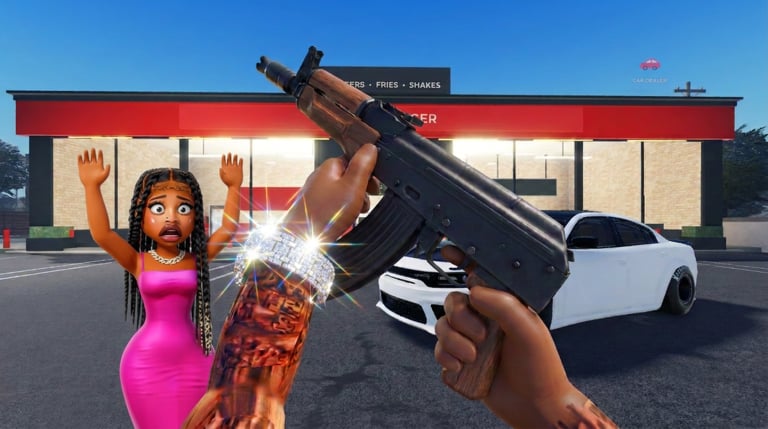
The Updates Hub explains how to track patches for Respect for real life (Realistic RP) on Roblox and what city RP updates usually touch. Exact changelog wording changes every release, so this page focuses on habits, feature pillars from the live experience description, and post-patch checklists that stay useful after each ship date. We do not invent item names or claim specific new unlocks unless they appear in official developer text.
November 9, 2026 — Roblox page update tracker
Around November 9, 2026, the official Roblox experience page for Respect for real life / Realistic RP showed a fresh Updated stamp. That date is a useful calendar marker for players who want to know when to rejoin and retest systems—not a promise that every subsystem shipped brand-new content that day. Roblox “Updated” timestamps can reflect description edits, thumbnail swaps, configuration publishes, or larger content drops. Treat the stamp as a signal to verify, not as a full patch note dump.
When you see a late-2026 stamp like this one:
- Open the official play link from the Links hub (avoid copycat places).
- Read the live experience description for pillars the creators already advertise: jobs, Sunhaven University, police, crime, cars, style, homes, phone/Scene social tools, and music.
- Join once, dismiss any tutorial or news popup, and run the feature checklist below.
- Recheck Codes only through official UI—milestones near 2.1M+ visits sometimes coincide with promos, but many windows still ship with no live codes.
- Skim the creator group / community channels for short shouts; ignore third-party “secret admin loot” clips until you reproduce them yourself.
If nothing dramatic changed in your session, that is still useful information. Logging a quiet stamp keeps your personal notes honest and stops rumor threads from rewriting your money plan.
Where to watch for every future patch
- Roblox experience page — description edits, thumbnails, and “Updated” timestamps are the first signal.
- Favorite + like the game — improves the chance you see platform notifications.
- Creator group wall / shout (community tied to the experience) — often carries short blurbs or event timers.
- Developer Discord or community channels linked from the official page — best for detailed changelogs and code drops when they exist.
- In-game billboards or phone alerts — some builds push news after you load into the city.
Bookmark Links for the official URL, then return here after every notable stamp change.
What updates typically touch (genre pillars)
City life RP titles in this genre repeatedly expand the same pillars already listed on the Respect for real life page. Expect combinations of the following—without assuming a specific car body, apartment SKU, or song pack until official text names it:
Cars and dealership stock
Bodies, paint, handling tweaks, or job vehicles (patrol, utility). A fresh standout ride can obsolete last month’s flex purchase—revisit the Tier List and Cars and Driving before emptying a safe.
Jobs and economy
Pay retunes for fast food, construction, hospital, bank teller, teacher, or other workplaces. Timers and task props may change. Always run one clean shift after a patch—see Jobs and Money.
Police and crime systems
Siren behavior, arrest flows, bank alarm sensitivity, or black-market tools. If security tightens, solo heists fall in value and crew RP rises. Refresh Police and Crime.
Phone, Scene, and social tools
911 improvements, messaging or FaceTime-style calls, cash send limits, camera / Scene social tweaks, and music-related apps when present. Phone changes alter how fast civilians call for help—important for cops and robbers alike. Deep dive: Phone and Social.
Housing, apartments, and style
Extra apartments, interiors, mall racks, or barber styles. Housing updates can shift the best commute relative to your main job. See Homes and Apartments.
School and campus (Sunhaven University)
Class schedules, teacher or student loops, campus geography, and related RP etiquette. After education-facing patches, walk the campus once before planning a full school day—School and Campus.
Quality-of-life and bug fixes
Collision fixes, anti-exploit passes, UI clarity for codes/shop buttons, and performance work on dense city nights. Retest Controls after big client updates.
Post-update checklist — homes, cars, phone, school
Run this loop after every notable Roblox stamp (including the November 2026 marker):
- Load the official experience; note any tutorial or news popup.
- Homes — claim or re-enter your apartment; confirm spawn, safe, and furniture still load. Details: Homes and Apartments.
- Phone / Scene — open 911, messages, cash tools, and any Scene or music entry points once. Guide: Phone and Social.
- Cars — walk the dealership lot; list new stock without buying yet; take one short drive to feel handling. Guide: Cars and Driving.
- School — if you play student or teacher, visit Sunhaven University and confirm class or campus props still respond. Guide: School and Campus.
- Open HUD Codes/Shop entry points for Codes.
- Run a short job shift and compare pay feel via Jobs and Money.
- Test a non-destructive police or civilian scene; refresh Police and Crime if tools feel different.
- Skim community channels for hotfixes (day-one follow-ups are common).
- Update personal goals—home savings, car upgrade, campus week, or role night—using Players and the Tier List.
Those checks catch most “my UI broke” reports without needing unauthorized clients. Prefer skill guides over executors; see why on Scripts.
Codes after patches
Milestones and update celebrations often ship promo strings. They still never grant free Robux. Redeem only through official UI, then spend thoughtfully on homes or cars using the guides above. Full redemption steps live on Codes. If a code fails after a patch, the UI may have moved—rejoin once before declaring it dead.
How this wiki reacts to updates
We prioritize evergreen guidance: beginner flow, money loops, etiquette, housing, driving, phone tools, campus life, and tier logic. When a patch clearly changes those, related pages get revised. Between edits, trust live developer text over outdated social screenshots.
New players should not wait for a “perfect” patch. Join now with Getting Started, learn the city, and treat updates as season resets for your goals—not reasons to idle for months.
Avoiding misinformation
After big stamps, viral clips exaggerate pay rates or claim secret admin rooms. Verify in your own session. Ignore accounts selling “early access scripts” for new cars or apartment skips—risks are explained on Scripts.
Suggested reading order after a major patch
- This Updates Hub checklist (homes / cars / phone / school).
- Codes for legal rewards.
- Tier List for revised job or car priority.
- Leaf guides that match your fantasy: Homes and Apartments, Cars and Driving, Phone and Social, School and Campus, plus Jobs and Money and Police and Crime.
- Players if etiquette or role tools changed.
- Browse the full Guides hub if you are unsure which leaf fits.
Stay curious, retest your main loop, and keep Favorites enabled so the next Respect for real life drop does not surprise you mid-shift.
Frequently Asked Questions
Quick answers for city life, jobs, police, and codes.
How do I know when Respect for real life updated?
Check the Roblox experience Updated timestamp (for example the Nov 9, 2026 stamp), group shouts, developer Discord, and any in-game news popups after joining.
What do updates usually add?
Cars, jobs, phone/Scene tools, housing or style, Sunhaven University campus tweaks, police/crime changes, music-related UI, and bug fixes are the usual pillars—confirm specifics in official text.
Should I spend all my cash right after a patch?
No. Retest homes, phone, dealership stock, and a short job shift first. Value can shift within a day.
Do updates bring codes?
Often, but not always. Recheck Codes after milestones and Nov 2026-style stamps. Codes never give free Robux.
What should I read after a major update?
Run the homes/cars/phone/school checklist here, then Codes, Tier List, and the leaf guide that matches your main role.